


Keep frequently used contacts in your favourites
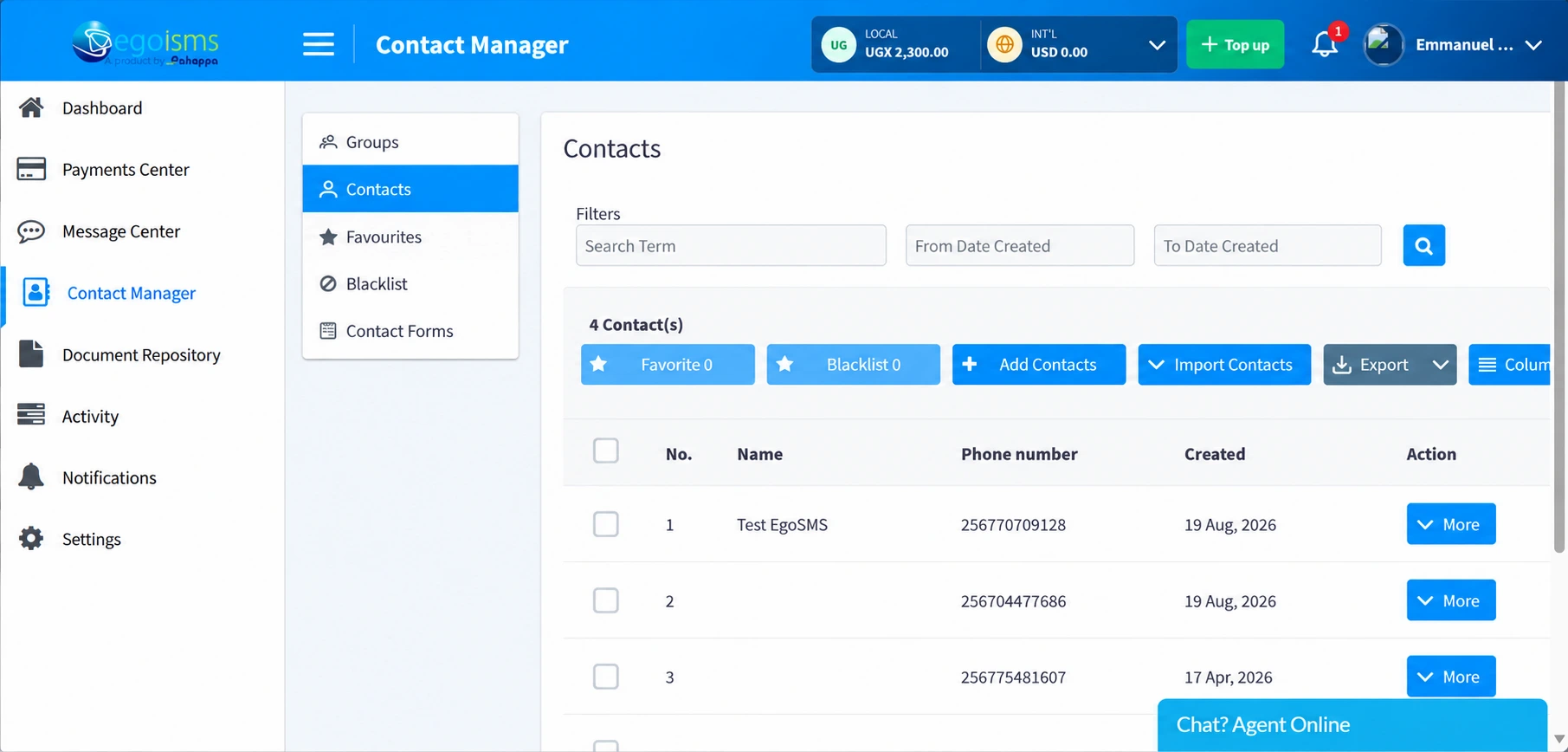
Mark contacts as favourites to organise frequently used contacts separately from your wider list.
Save contacts, organise them into groups and reuse your lists for promotions, reminders and customer updates with EgoSMS Contact Manager.
Selecting the same recipients for every campaign takes time. EgoSMS Contact Manager keeps your contacts organised in one place, so you can select the relevant audience whenever you need to send a message.
One secure database across your entire team.
Isolate demographics and customer types effortlessly.
Select pre-grouped cohorts in two simple clicks.
Save contacts in your EgoSMS account and add them to groups for future messages.
Save new contacts as your customer list grows.
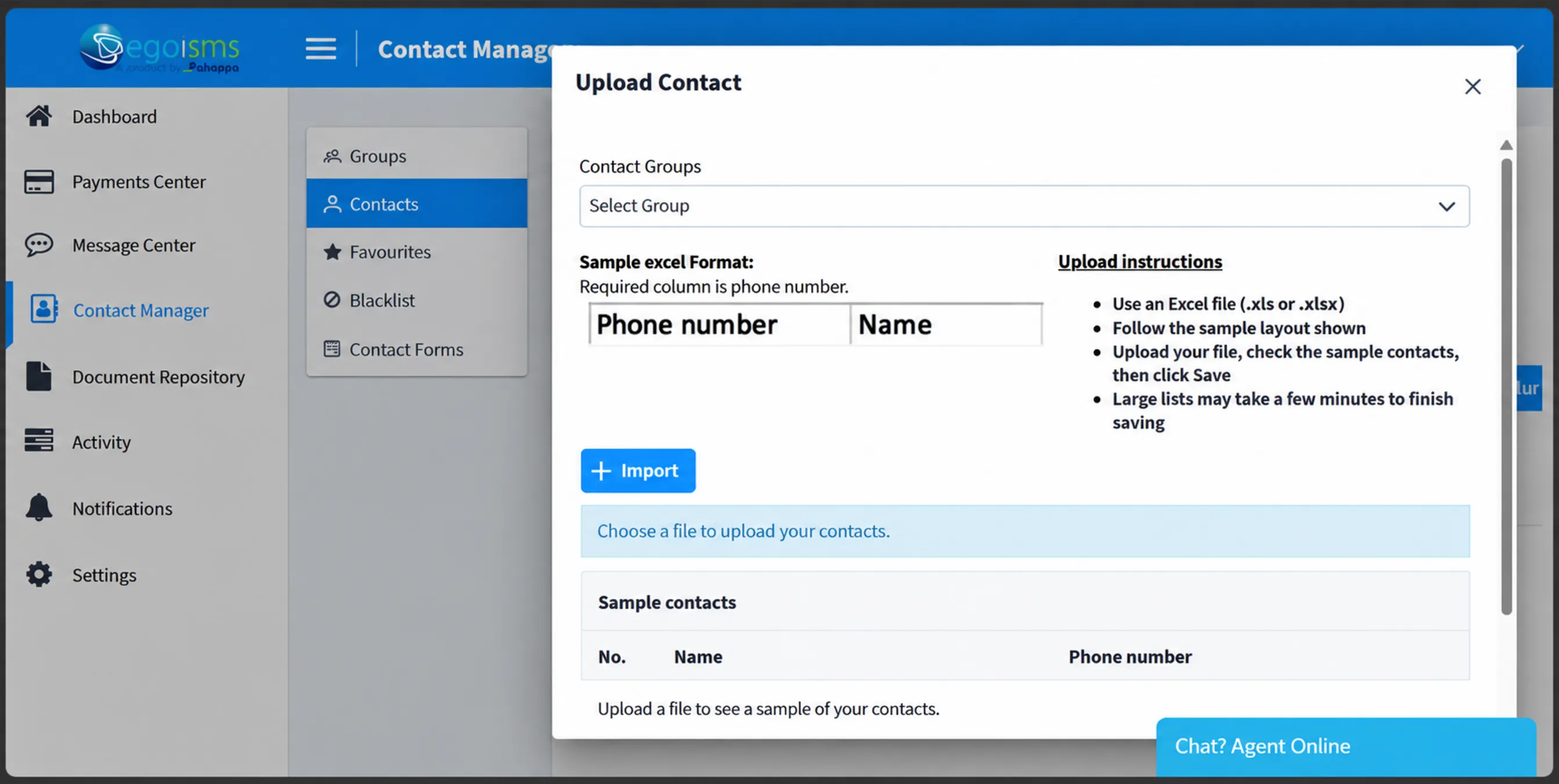
Copy and paste numbers or import an Excel file to reduce the need to enter contacts individually.
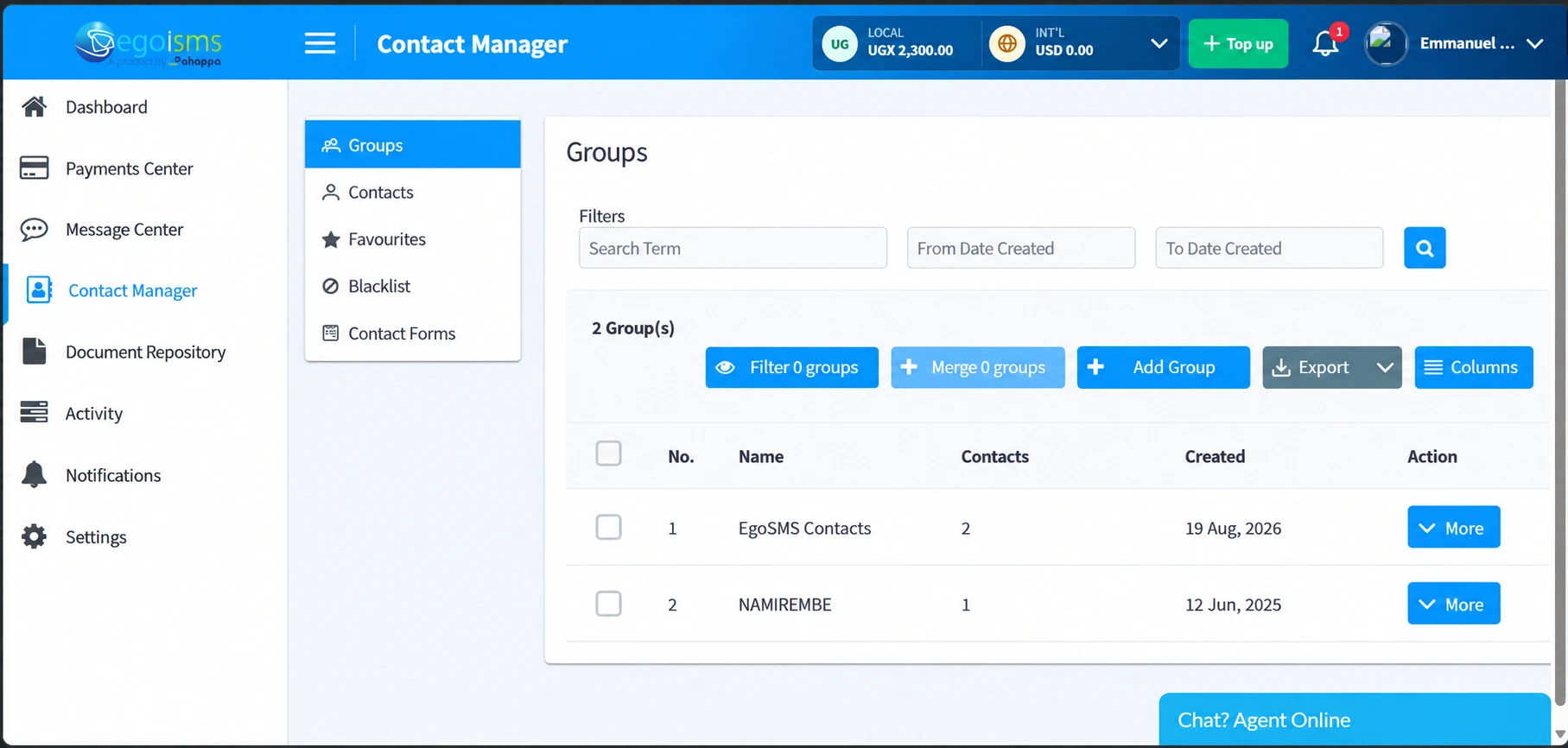
Create groups such as VIP customers, retail clients, staff or event guests, then select the group you want to reach.
Use saved groups for promotions, reminders and announcements without selecting each recipient again.
Search by group name, filter by creation date and manage the contacts within each group.
Merge groups to bring their contact lists together seamlessly.
Mark contacts as favourites to organise frequently used contacts separately from your wider list.
Add contacts to your account’s blacklist so they are excluded from outgoing messages.
Tailored communications for businesses, retail stores, event coordinators and corporate teams.
Create separate groups for new and returning customers, then share offers relevant to each audience.
Notify interested customer groups about new arrivals and restocked products.
Send event reminders, venue changes and other updates to your guest group.
Use staff groups for internal announcements and meeting reminders.
Everything you need to know about managing contacts and audiences on EgoSMS.
It is a feature for saving contacts, organising them into groups and reusing those groups for SMS campaigns.
Yes. You can add contacts by copying and pasting numbers or importing an Excel file.
Yes. You can select recipients from multiple groups when preparing a bulk SMS message.
Yes. You can merge groups to bring their contact lists together.
The contact is excluded from outgoing messages sent through your EgoSMS account.
Organise your lists and select the audience you need whenever you have an update to share.